The first 300 Mac licences, on Pro For Mac or Pro For Both, include lifetime updates. Later licences keep the purchased version, with one year of updates included and optional update renewals at $19/year.
Pro For Both includes Pro For Chrome. Pro For Mac covers the Mac app only.
Mac Pro only
Two things the free app does not do.
Free includes the capture tools, both editors and captions, with a watermark on exports. Pro removes the watermark, syncs projects through your own Google Drive, and adds the two features below.
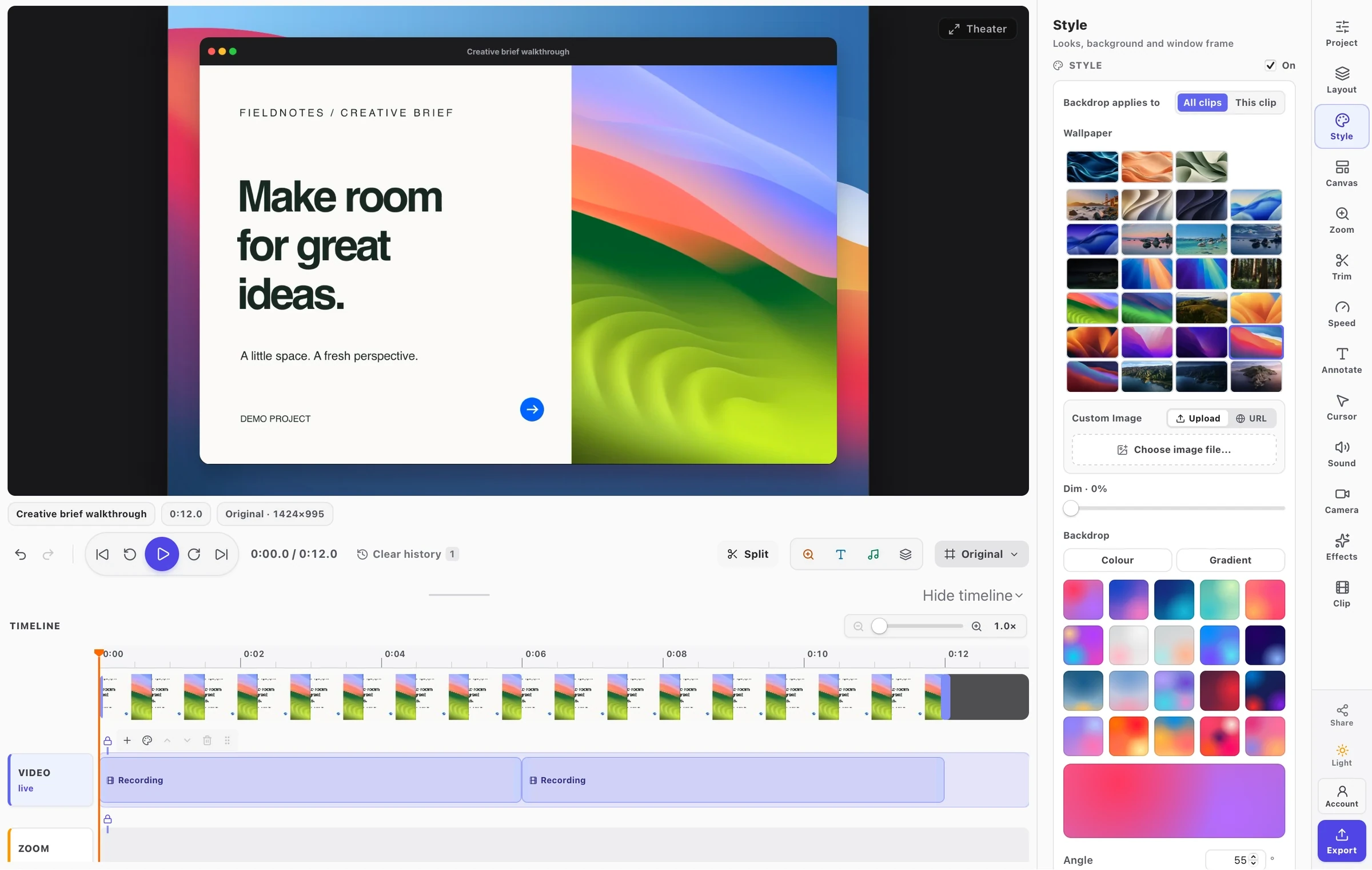
Scheduling a post to a demo Facebook Page. The recording stops before anything is posted.Recorded in the Mac app · Sound off · Fullscreen available
Publishing
Post to YouTube or a Facebook Page from the editor.
In Export, choose Publish instead of Save to file and pick a connected YouTube channel or Facebook Page. Facebook posts go out now or at a time you set.
Videos to a YouTube channel or a Facebook Page
Screenshots to a Facebook Page, with a caption
Facebook posts scheduled 15 minutes to 29 days ahead
Made over MCP: Claude Code drove Chrome while FramioCam recorded, added the zooms, sped up the pauses and exported the MP4.Recorded in the Mac app · Sound off · Fullscreen available
AI assistants over MCP
Ask Claude, Codex or Cursor to record and edit.
Record a walkthrough of the FramioCam for Mac page in Chrome: scroll to publishing, open the publishing guide, and show scheduling. Zoom in on each click, speed up the pauses, and export an MP4.
Take a screenshot of my Safari window and put it on a nice backdrop.
Open our checkout in Chrome and record a walkthrough: add a product, fill in test details, and pay. Zoom in on each click, blur the email and card fields, add captions, and export an MP4.
Paste into Claude, Codex or Cursor
Off until you turn it on. Each assistant asks your permission the first time.
FramioCam never clicks, types, posts or signs in for you.
In Free as well: on-device captions and transcripts, downloadable as SRT or VTT. macOS does the speech recognition, so your audio is not uploaded. How captions work
Free and Pro, feature by feature.
Free has the whole capture and editing toolkit. Pro is for work you share: a clean finish, publishing, AI assistants and project sync.
FramioCam for Mac features included in Free and in Pro (Pro For Mac or Pro For Both).
FEATURE
Free
Pro
Display, window and area screenshots
Scrolling captureFree stops at about five screens; Pro captures the whole page.
Up to 5,000 px
Full height
Screen recording with camera and microphoneRecording needs macOS 15 or later.
Screenshot Studio: backdrops, frames and annotations
Timeline video editor: zooms, cuts, blur and text
On-device captions and transcriptsSRT, VTT or plain text. Speech is recognised by macOS on your Mac.
Watermark-free exports
Video export up to 4K
Publish to YouTube and FacebookPost now or schedule ahead, to your own channel or Page.
Publishing accountsYouTube channels and Facebook Pages connected at once.
None
3
AI assistants over MCPClaude, Codex, Cursor and other MCP clients can capture, record and edit for you.
Google Drive sync and share links
Project sync through Google DriveEdits, undo history and media, kept in your own Google Drive.
Macs
1
1
Before you buy
A few things worth knowing.
Licences, updates, AI assistants and refunds for FramioCam for Mac.
No. Pro For Mac is $29 once, and Pro For Both is $35 once. The first 300 Mac licences, on either plan, include lifetime updates. Later licences keep the version they bought for good, with one year of updates included and optional update renewals at $19/year.
What can I do without paying?
Everything except a clean finish. Free includes capture, screen recording, the Screenshot Studio, the video editor and on-device captions. Exports carry a FramioCam watermark, and scrolling capture stops at about five screens.
What do AI assistants need?
A Pro For Mac or Pro For Both licence and an assistant that speaks MCP, such as Claude, Codex or Cursor. The feature is off until you turn it on in Settings, and you approve each assistant the first time it connects. FramioCam itself never clicks or types, and captures only what is visible on screen.
Does my Pro For Chrome licence work in the Mac app?
No. Pro For Chrome unlocks the extension, including Chrome on your Mac. To use Pro in both apps, Pro For Both is $35 once, against $48 for the two bought separately. If you already own Pro For Chrome or Teams, add Pro For Mac on its own.
I already bought Pro For Mac. Can I add Chrome?
Yes. Upgrade to Pro For Both for the difference, $6. Checkout applies it automatically when Pro For Mac was bought through our checkout. Licences that were granted or came from AppSumo pay the full $35.
How many Macs can I use?
Pro For Mac covers one Mac for one person, and so does Free. Release a Mac from your account page to connect another in its place.
Which Macs are supported?
Macs with Apple silicon (M1 or later) on macOS 14 Sonoma or later. Screen recording needs macOS 15 Sequoia or later.
Who takes the payment, and can I get a refund?
Paddle, as merchant of record. Card details never reach us, and your receipt and invoice come from them. If FramioCam is not what you expected, ask within 30 days of buying and Paddle refunds you.
Already bought a licence? Sign in to find your keys. Browse the Mac feature guides for how each tool works.
FramioCam for Mac
Make more of your Mac.
A native capture workflow. A creative workspace of your own. Free to download.