Browse this guide
FramioCam guides

Mac app · Coming soon

In this guide

Keyboard shortcuts

Give your Mac screenshots a finish.

Open a capture or a picture from your Mac. Choose its backdrop and framing, explain the details with annotations, then save or share the finished image.

Mac app guide · Coming soonGet launch updates
Bend a curved arrow and resize a custom brand watermark in the Mac screenshot studio.Recorded in the Mac app · Sound off · Fullscreen available

Getting started

Open a capture or a picture from your Mac. Choose its backdrop and framing, explain the details with annotations, then save or share the finished image.

  • 51 wallpapers shared with video
  • Edit text and arrows on the picture
  • Resize your own brand mark with undo

Explore this guide

Start readingBackdrop & framing

FramioCam for Mac

Make more
of your Mac.

A native capture workflow. A creative workspace of your own. Be there when FramioCam for Mac arrives.

macOS 14 Sonoma or later · Coming soon

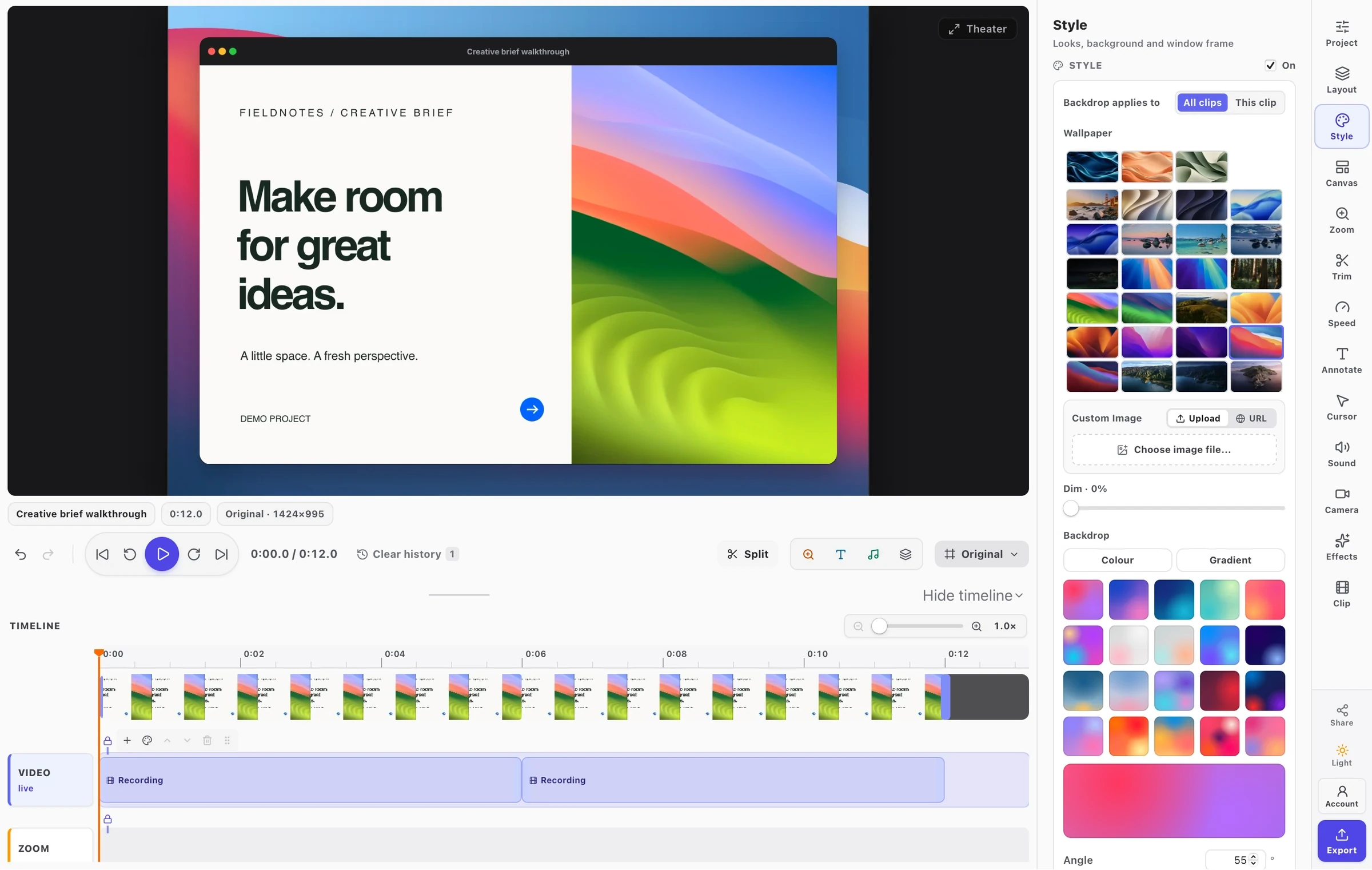
The actual FramioCam desktop app on the FramioCam Tidal Silk backdrop.
A closer look at the Mac app

FramioCam in action

Record, capture, edit, and export in Chrome.

Watch on YouTube ↗