Screen capture that stays on your machineGet the deal
Browse this guide

A clearer story on a Mac timeline.

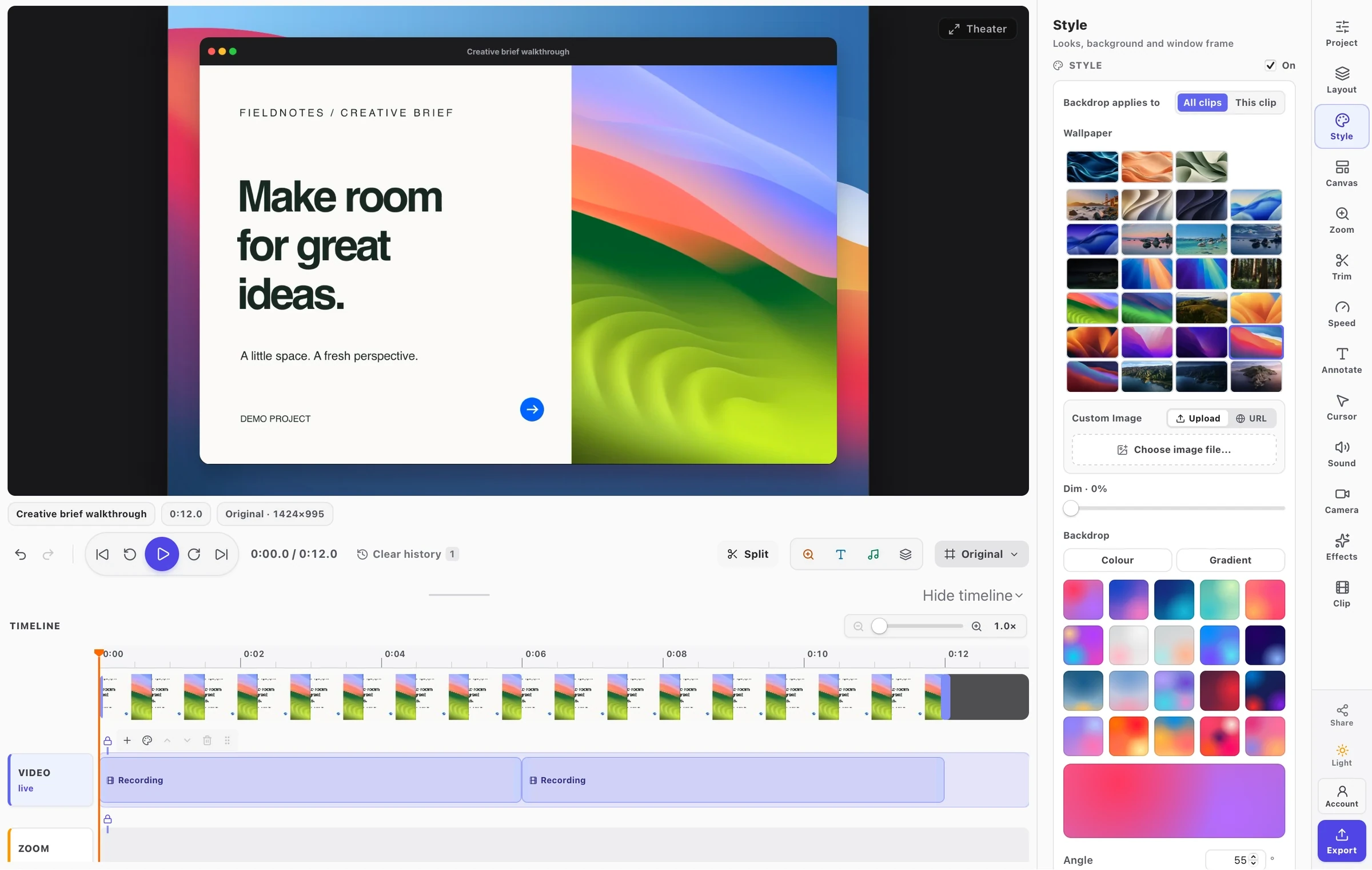
Trim pauses and arrange the recording into a walkthrough. Use the native Mac studio’s canvas, annotation controls, and timeline to keep the details easy to follow.

Mac app guideDownload for Mac
Zooms and playback in the real Mac video editor, using a fresh demo project.Recorded in the Mac app · Sound off · Fullscreen available

Getting started

Trim pauses and arrange the recording into a walkthrough. Use the native Mac studio’s canvas, annotation controls, and timeline to keep the details easy to follow.

  • Arrange clips on a real timeline
  • Frame and annotate the walkthrough
  • Save locally or choose publishing

Explore this guide

Start readingTimeline & zoom

FramioCam for Mac

Make more
of your Mac.

A native capture workflow. A creative workspace of your own. Free to download.

macOS 14 Sonoma or later · Apple silicon · Free to start

The actual FramioCam desktop app on the FramioCam Tidal Silk backdrop.
A closer look at the Mac app

FramioCam in action

Record, capture, edit, and export in Chrome.

Watch on YouTube ↗