Make the point.
Arrows, text, highlights, and blur make a screenshot easier to understand.
FramioCam for Mac · Coming soon
Capture a window. Record a walkthrough.
Give every idea a clear finish, in one app for your Mac.
macOS 14 Sonoma or later · Separate Mac licence
Native capture.Your Mac’s apps and windows.
One creative workspace.Screenshots and video, together.
Local by default.Your media stays on your Mac.
Always close at hand
A screenshot when an idea strikes. A recording when words aren’t enough. Capture with FramioCam, or open a file from your Mac and keep creating.
From capture to clarity
Frame a screenshot. Draw attention to what matters.
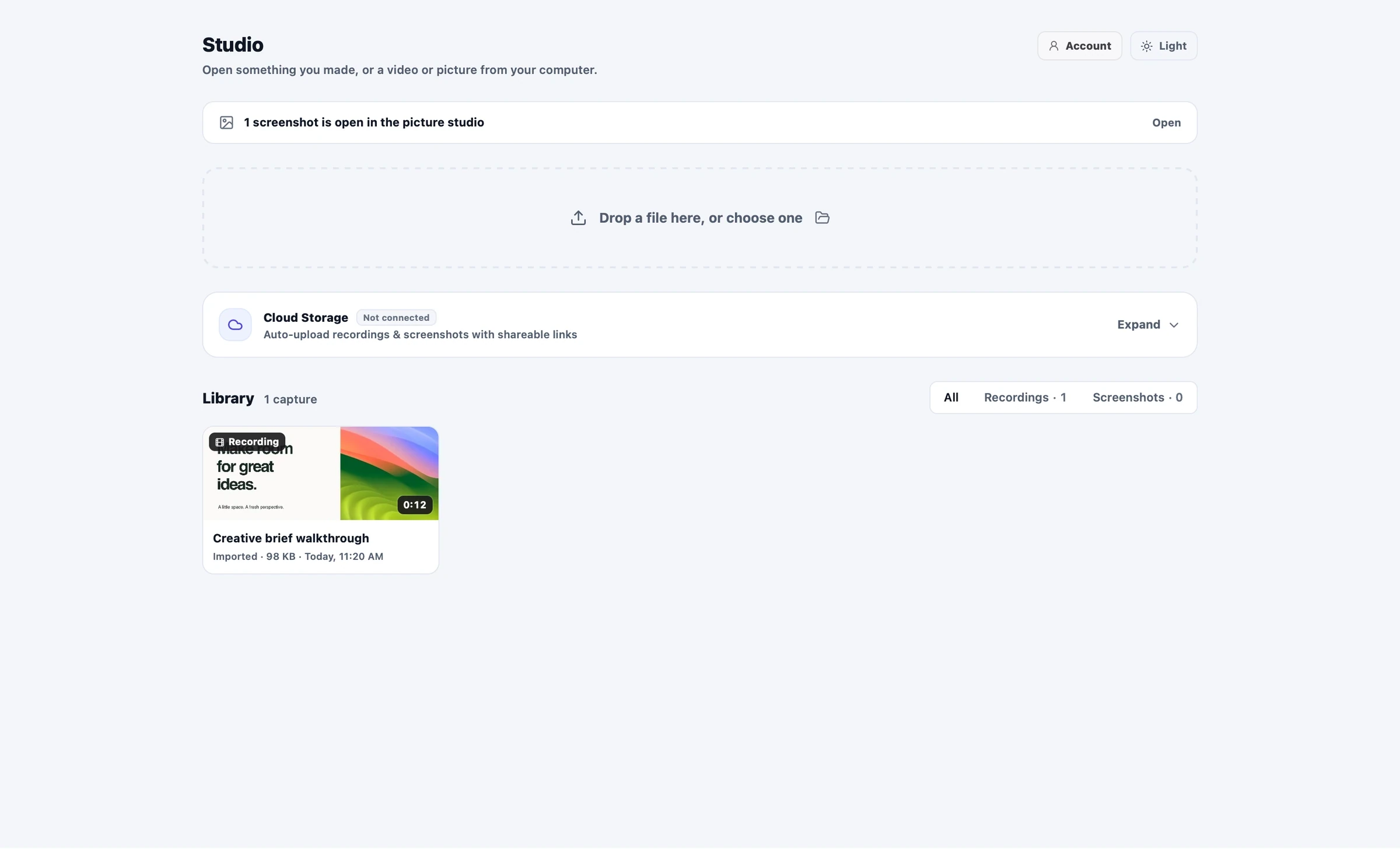
Bring it all together in the desktop Studio.
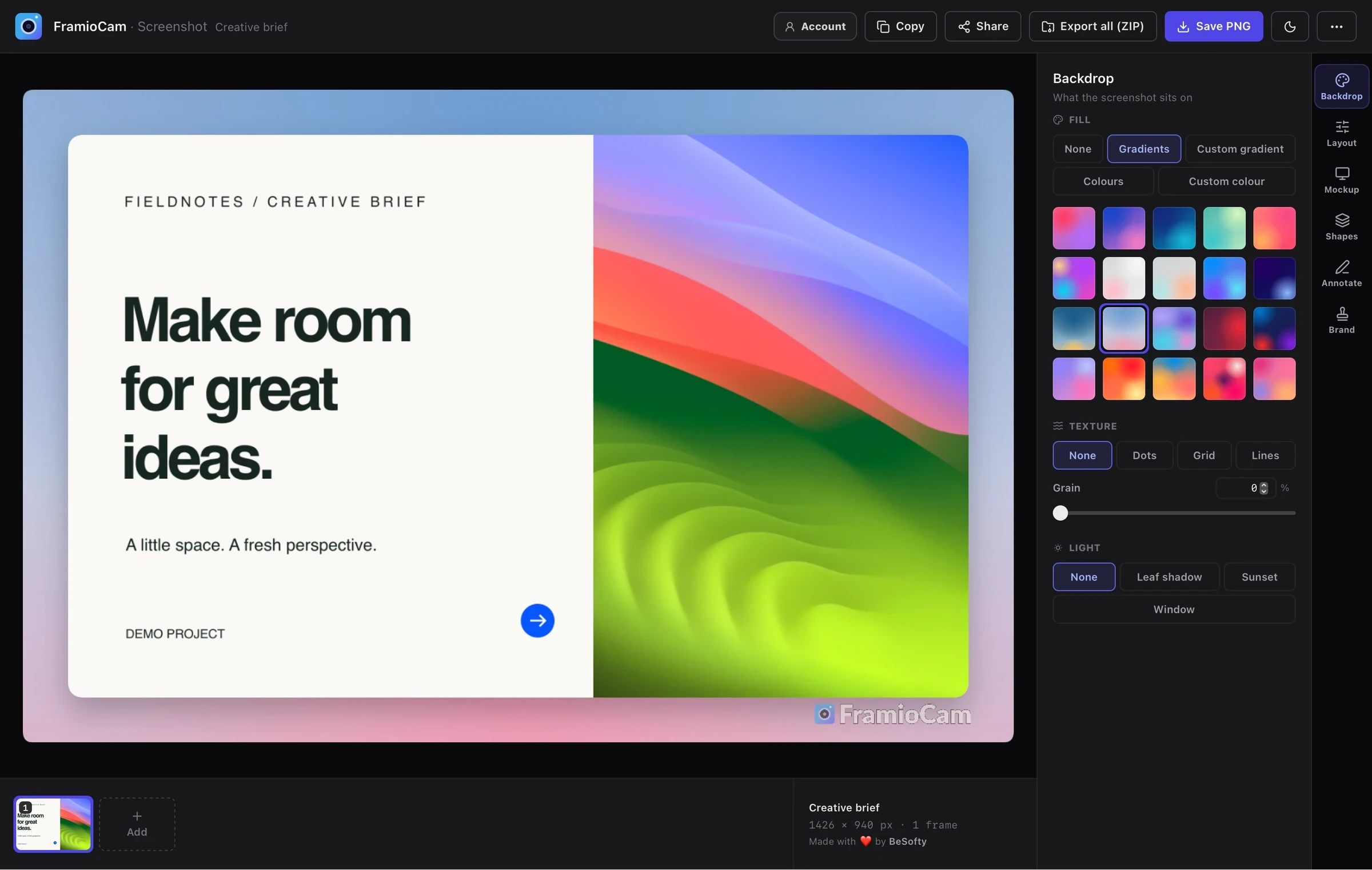
Arrows, text, highlights, and blur make a screenshot easier to understand.
Choose a backdrop, adjust the canvas, and give your capture a considered finish.
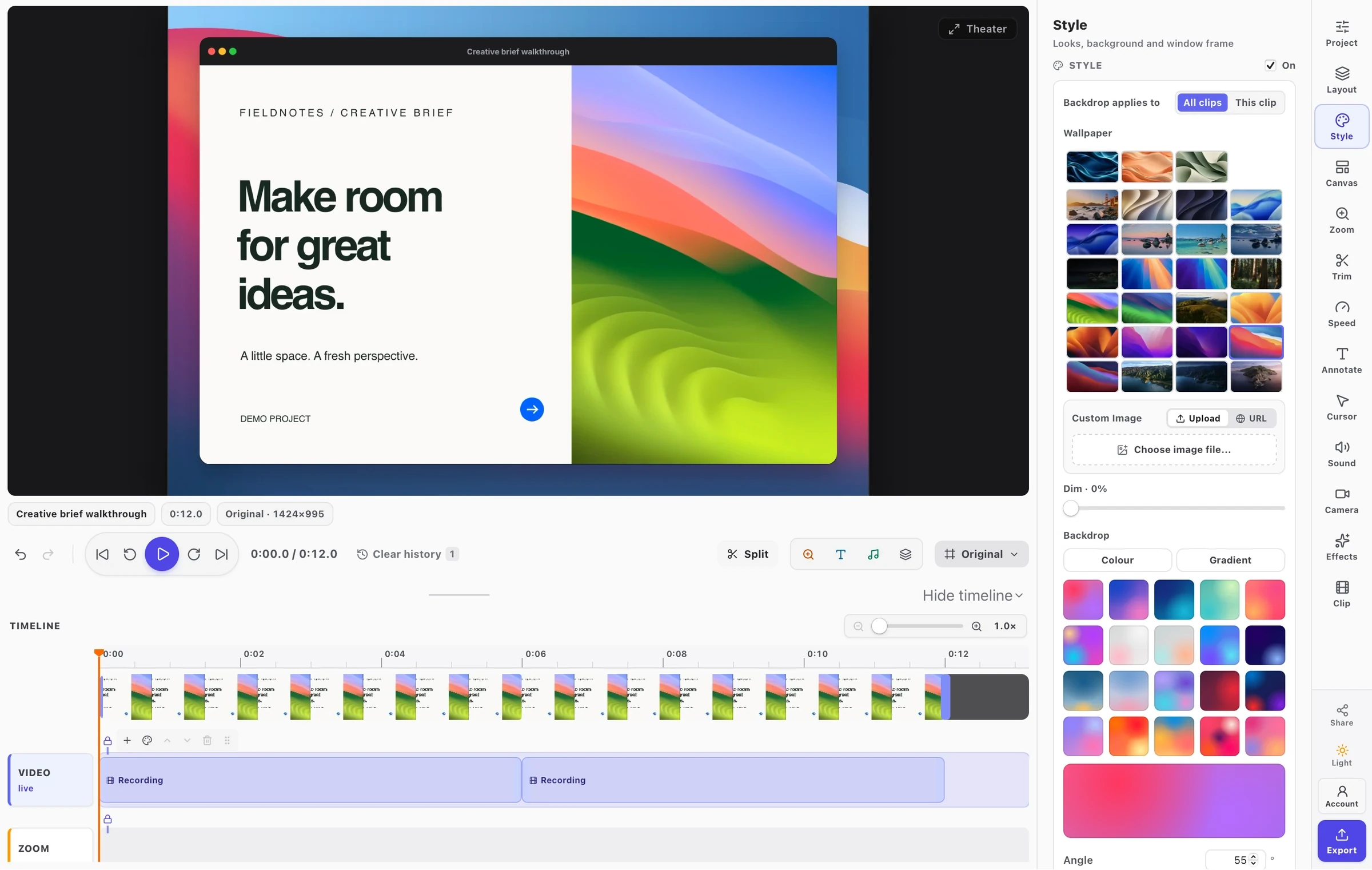
Switch from screenshot editing to a video timeline in the same app.
Small details. Big difference.
From a quick capture to the final cut, keep your flow in one place.
Recorded in the Mac appSound off · Fullscreen available
Choose a wallpaper, edit text on the picture, and bend an arrow into place. Make a simple capture ready to share.
Explore screenshot editingRecorded in the Mac appSound off · Fullscreen available
Cut the pauses. Zoom into a detail. Add text and annotations on the timeline to make every walkthrough clear.
Explore video editingA real timeline. Room to create.
Trim the pauses. Bring a detail closer. Add a cursor highlight or a timed annotation. Shape the recording into a walkthrough people can follow.
Export a file to your Mac. Optional sharing and publishing stay a choice you make.
See the details in action
The finishing touches make the difference.
Pick a tool and watch it work in FramioCam.
Zoom to the things you clicked. Move, resize, and retime every zoom on the timeline.
Give your pointer a clear highlight and every click a ripple. Adjust the colour, size, and timing after recording.
See dissolves, wipes, and slides before you choose. Apply a transition and set its timing on the timeline.
Bend and turn arrows, resize marks on the picture, and switch tools with a letter key. Choose exactly when each annotation appears.
Turn a walkthrough into a square post or vertical clip. Trim detected black edges in Canvas, then choose a wallpaper and frame.
Export MP4, WebM, GIF, or a PNG frame. Available formats and resolutions depend on your plan, browser, and device.
Inside the Mac studio
A closer look at the Mac app in development. Sign up for launch updates to hear when it is ready.
Transcribe speech with on-device macOS recognition. Correct the transcript, style captions and highlight each spoken word, or download SRT, VTT, and plain text. Your audio stays on your Mac.
In development · Captions follow cuts, clip moves, and speed changes.
Read the guideChoose from 51 wallpapers: eight FramioCam originals and 43 macOS backgrounds, shared by the screenshot and video studios.
Download a wallpaper once, then reuse it offline.
Read the guideChoose from 14 arrow shapes, bend a curve, or turn an arrow into place. Resize screenshot text, shapes, and blur with handles, and adjust a spotlight’s radius.
Video annotation handles can extend past the frame; the picture stays clipped to its edges.
Read the guideType screenshot text directly on the picture, with bold and italic. Use visible tool keys in both editors: A for Arrow, B for Blur, N for Step, and V for Select.
Trim detected black edges from Canvas in the video editor.
Read the guideSelect your text or logo watermark on the picture. Drag to position it, resize from a corner, or delete it, with undo in both editors.
Your custom brand mark is separate from the free plan’s FramioCam watermark.
Read the guidePublish videos to YouTube or Facebook, and screenshots to a Facebook Page. Post to Facebook now, or schedule photos and videos from 15 minutes to 29 days ahead.
Choose among connected channels and Pages. Publishing is optional and subject to your plan.
Read the guideA separate app. A clear choice.
Choose the workspace you need. Mac and Chrome have separate licences.
FramioCam for Mac
$0planned free tier
Native capture, the screenshot studio, and a real video editor.
Coming soon. No payment taken.
FramioCam for Mac
$49planned one-time launch price
A clean finish for the work you want to share.
Coming soon. No payment taken.
The first 300 Pro licences are planned to include lifetime updates. Later licences keep the purchased version, with one year of updates included and optional update renewals at $19/year. Availability and final purchase terms will be confirmed at launch.
Mac and Chrome are separate purchases. A launch notification is not a reserved founders licence.
Coming to your Mac
Get an email when FramioCam for Mac is ready to download.
The Mac app is in development and is not publicly available yet. Sign up and confirm your email to hear when it is ready to download. No payment is taken on this page.
The desktop app targets macOS 14 Sonoma or later. It uses native macOS screen capture and runs its screenshot studio and timeline editor on your Mac.
No. The Mac app works independently. It has its own licence and captures desktop apps and windows. The Chrome extension remains available for browser workflows on Mac and other operating systems.
Captures and edits are kept on your Mac. Cloud sharing and publishing are optional actions you choose. Account and licence checks are separate from your media; your captures are not uploaded to FramioCam.
On-device transcription and captions are in development for the Mac app. macOS recognises speech locally, so your audio is not uploaded for transcription. Correct the transcript, style captions with text colours and spoken-word highlighting, or copy and download SRT, VTT, or plain text. Caption timing follows cuts, clip moves, and speed changes. Availability depends on on-device speech recognition support on your Mac.
The Mac app in development supports publishing videos to a connected YouTube channel or Facebook Page, and screenshots to a Facebook Page. Facebook photos and videos can be posted now or scheduled 15 minutes to 29 days ahead, in your Mac’s time zone. Publishing is optional and subject to your plan; the Mac app is not publicly available yet.
The planned launch offer includes lifetime updates for the first 300 Pro licences. Sending a launch notification request is not a purchase or a reserved licence. Final availability and purchase terms will be confirmed at launch.
FramioCam for Mac
A native capture workflow. A creative workspace of your own. Be there when FramioCam for Mac arrives.
macOS 14 Sonoma or later · Coming soon
We use .