ROADMAP
FramioCam for Mac, and where it goes next.
The changelog has every detail of what shipped. This page looks the other way: what is being built now, what comes after it, and what is being explored without a date. The further down the list, the softer the promise.
Coming up
FramioCam for Windows
In progressIN THE WORKS
The same app on Windows, with the same features. A feature counts as finished only when it works on both, so neither version is the lesser one.
- Display, window, area and scrolling capture with the same shortcuts, Ctrl in place of ⌘.
- Screen and camera recording with system audio, drawing and auto-scroll while you record.
- The same Screenshot Studio, video timeline, captions, publishing and AI assistant tools.
More for your AI assistant
PlannedNEXT
Everything a person can do in FramioCam, an assistant can do too. A few recording and settings controls are still only in the app.
- Start a camera-only recording, or the camera beside the screen, at a chosen frame rate.
- Scrolling capture, auto-scroll and drawing on the screen during a take.
- Read and change the capture and recording preferences you set in Settings.
- Pin a screenshot to the screen.
Publish to LinkedIn
PlannedAFTER THAT
A finished video posted to your LinkedIn feed from the studio, the same way YouTube and Facebook work today.
- Connect your LinkedIn account in Settings → Publishing.
- Write the post, choose who sees it, and publish without leaving the studio.
- The post stays linked from the recording, beside its other uploads.
Shipped
Voice-over, a teleprompter and Shade
ShippedV0.2.0 · NOVEMBER 2026
Narrate a finished recording, read a script while you record, and make titles read on any frame.
- Record a voice-over onto the timeline, in sync with the picture, and split music or narration at the playhead.
- A teleprompter near the camera that scrolls with the take and is never recorded.
- Shade over the frame from the sides you choose, in the screenshot editor and the studio.
- Publish screenshots to a Facebook Page from the editor, and let an AI assistant publish a recording for you.
FramioCam for Mac
ShippedV0.1.0 · NOVEMBER 2026
The studio from the Chrome extension, rebuilt as a native Mac app — so it can capture every app on the Mac, not only a browser tab, and keep everything on the machine.
- Display, window, area and scrolling capture, from the keyboard with no window open.
- Screen and camera recording with system audio, drawing and smooth auto-scroll while you record.
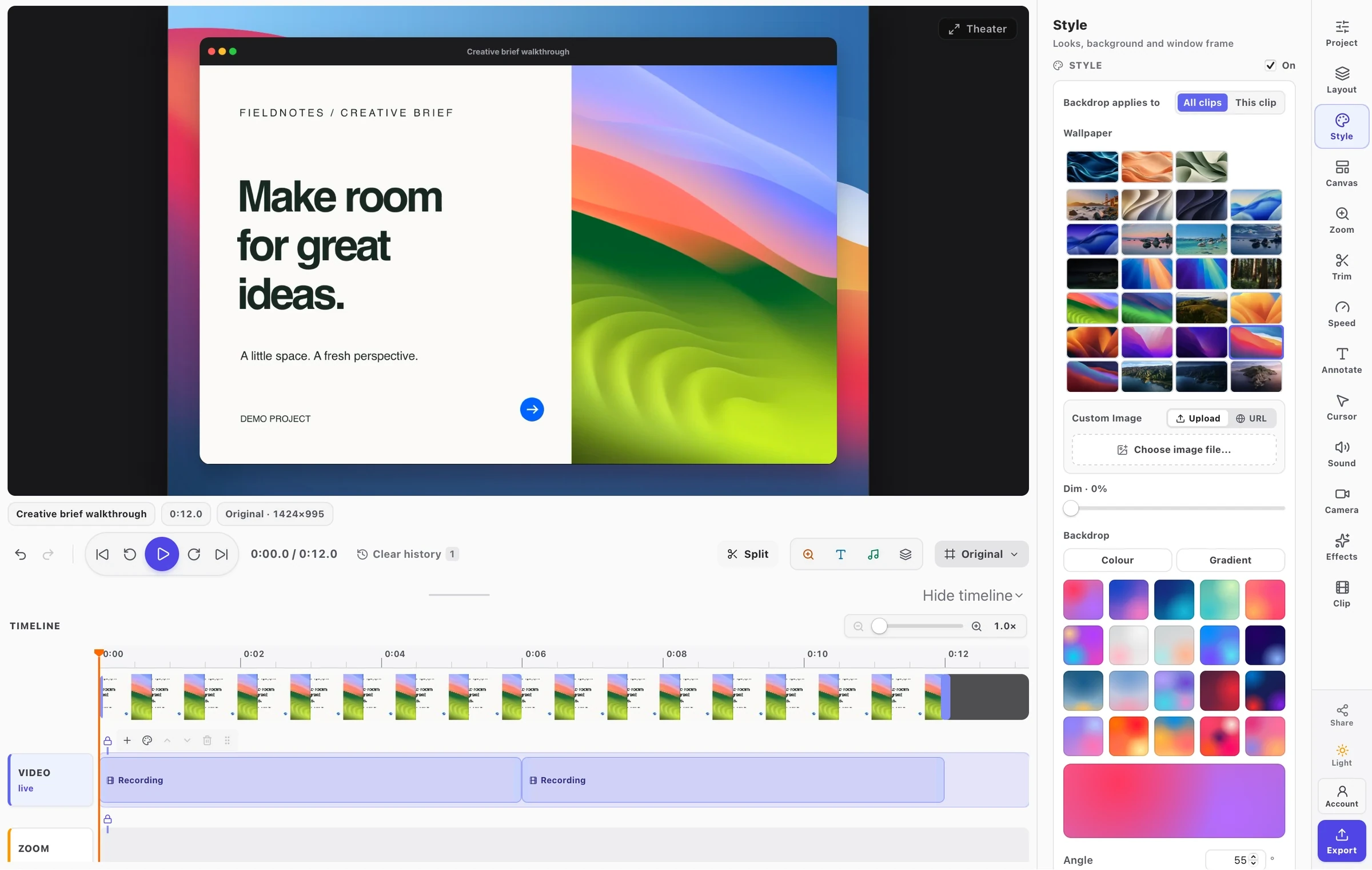
- Screenshot Studio and a video timeline with zooms from your clicks, a smooth cursor and 51 wallpapers.
- Captions and transcripts made on the Mac, publishing to YouTube and Facebook, and AI assistants over MCP.
Something you need that is not on this list? Write to support@framiocam.com and say so — every message is read.