5 min read
FramioCam vs Screen Studio: Polished Mac Screen Recordings, With or Without a Subscription
Looking for a Screen Studio alternative without a subscription? FramioCam for Mac: auto zoom, on-device captions, YouTube publishing, MCP.
- comparisons
- screen-recording
- screen-studio-alternative
- mac
KEY TAKEAWAYS
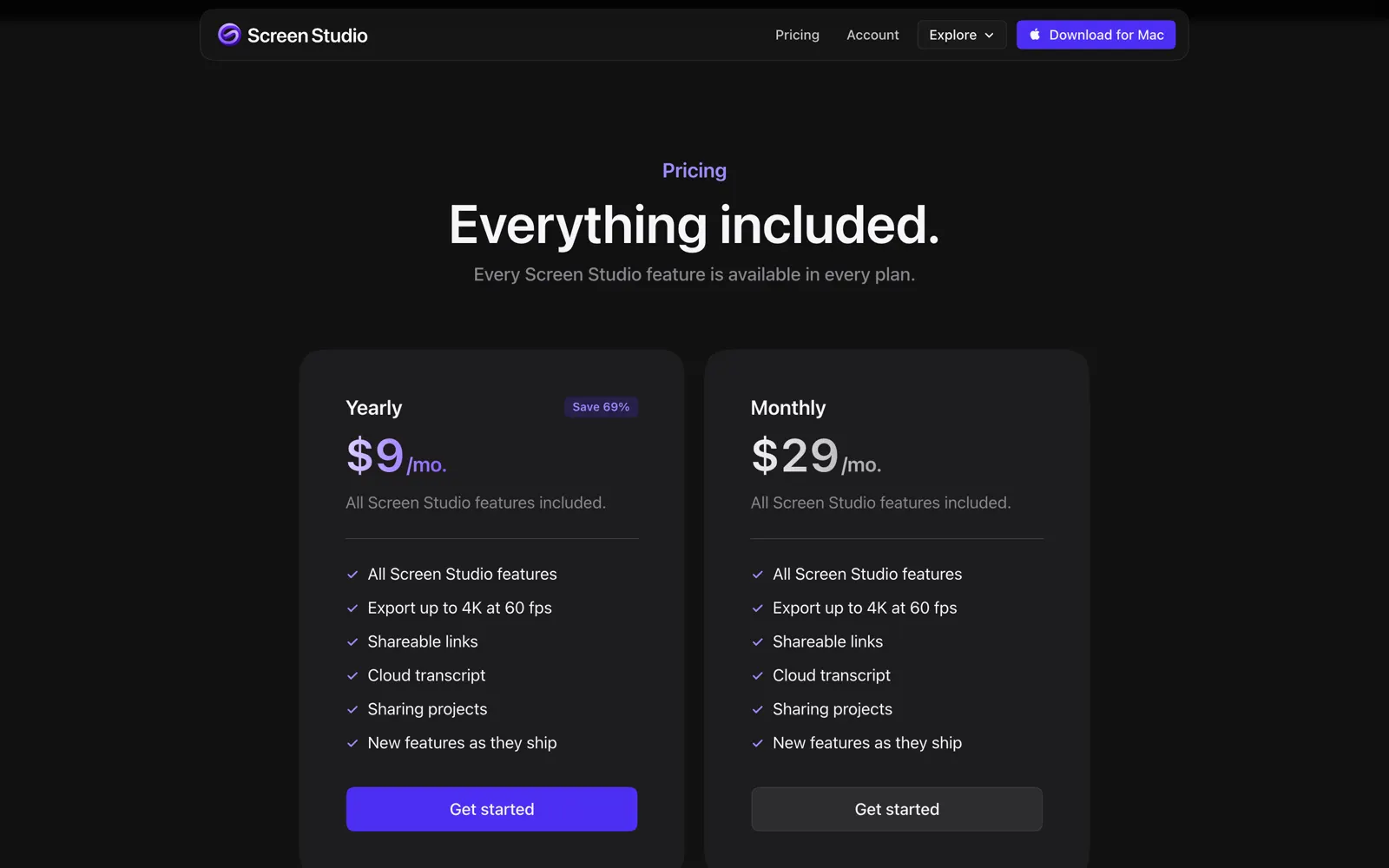
- Both make polished Mac screen recordings with zooms that follow your clicks. Screen Studio is a subscription; FramioCam for Mac is free to start with a one-time Pro licence.
- FramioCam for Mac adds a full screenshot studio, on-device captions, direct YouTube and Facebook publishing with scheduling, and an MCP server for AI assistants.
- Screen Studio leads on iPhone and iPad recording, per-app audio, and its long-refined motion effects, and it runs on macOS 13.1 or later.
Screen Studio made the “recording that looks edited” look famous: automatic zooms on your clicks, a smooth cursor, a nice backdrop, and a file you’re happy to post. FramioCam for Mac does the same job and then keeps going, into screenshots, captions and publishing.
The two questions that separate them: do you want to pay monthly, and where does the video go when you’re done?
Screen Studio details come from its own site and pricing section, checked on 10 November 2026. Prices change; check them before you buy.
The short version
| Screen Studio | FramioCam for Mac | |
|---|---|---|
| Pricing | Subscription: $29/month, or $9/month billed yearly. Every feature in every plan | Free download with watermarked exports. Mac Pro is a one-time licence |
| System | macOS 13.1 or later recommended | Apple silicon, macOS 14 or later (recording needs macOS 15) |
| Recording | Screen, webcam, per-app system audio, iPhone/iPad over USB | Display, window or area, with camera, microphone and system audio |
| Auto zoom and cursor | Automatic zoom on mouse actions, smooth cursor movement | Zooms made from your clicks, drawn cursor styles, highlights and click ripples |
| Editing | Easy editing, camera layouts, masking sensitive data | Multi-lane timeline, split and ripple delete, transitions, timed annotations and blur, camera bubble and layouts |
| Transcripts | Transcript generation; its plans list “cloud transcript” | On-device macOS transcription, styled captions, SRT, VTT and text downloads |
| Screenshots | Not its focus | Full screenshot studio: wallpapers, frames, arrows, text, brand watermark |
| Getting it out | 4K 60fps export, GIF, vertical, social presets, shareable links | MP4, WebM or GIF up to 4K on Pro; publish to YouTube or a Facebook Page, now or scheduled |
| AI assistants | Not listed on its site | Built-in MCP server for Claude Code, Claude Desktop, Codex, Cursor or any MCP client |
Where they differ
Subscription or one payment.
Screen Studio includes everything in every plan, which is generous, but the plan is a subscription. FramioCam for Mac is free to download and use with a watermark; Mac Pro removes it with one payment, and the first founders’ licences include lifetime updates. Over two or three years, that difference is the biggest number in this comparison.
Publishing instead of uploading.
Screen Studio exports a polished file, with presets for social formats and shareable links. FramioCam for Mac also exports files, and adds a Publish destination: choose a connected YouTube channel or Facebook Page and post now, or schedule a YouTube video at least 15 minutes ahead and a Facebook post up to 29 days ahead. Screenshots can go to a Facebook Page too. Publishing and scheduling explains each step.
Ask your AI assistant for the video.
FramioCam for Mac includes an MCP server. Connect Claude, Codex, Cursor or any MCP client, allow it once, and ask for a recording in plain words. The assistant drives the browser with its own tools, and FramioCam records, zooms on each click, blurs what you name, adds captions and exports. The demo on our AI assistants page was made exactly that way. Screen Studio’s site doesn’t list anything comparable.
Where your transcript is made.
Screen Studio lists a cloud transcript among its plan features. FramioCam uses macOS’s on-device speech recognition, so your audio isn’t uploaded for transcription. Captions follow your cuts and can be burned in with spoken-word highlighting or downloaded as SRT and VTT.
One app for screenshots too.
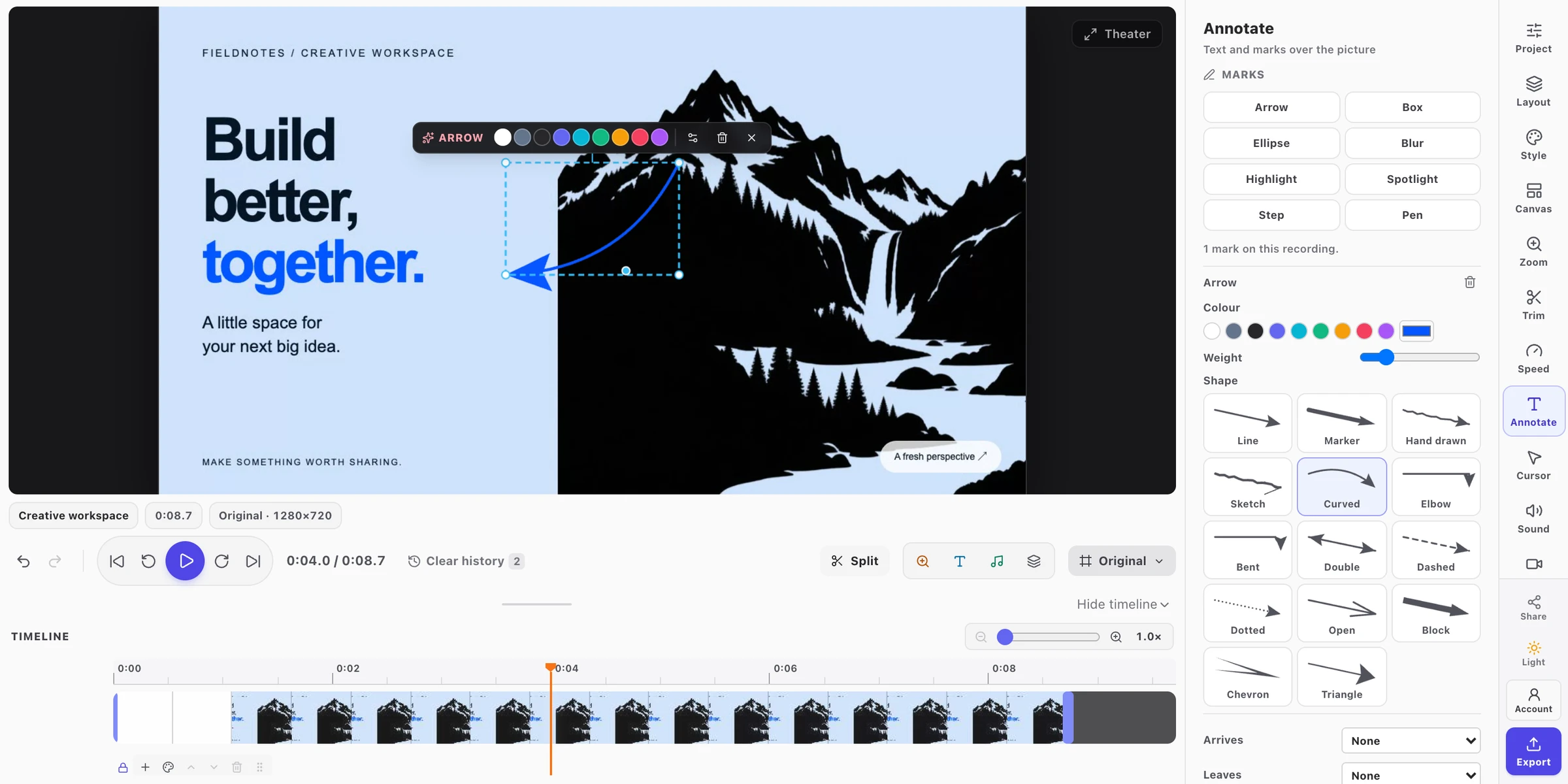
Screen Studio is a recorder. FramioCam for Mac has a screenshot studio in the same app, sharing its wallpapers and annotation tools with the video editor, so a launch post’s screenshots and its demo video look like they belong together.
Where Screen Studio is the better tool
- You record iPhone or iPad apps. Screen Studio records them over USB with device frames. FramioCam for Mac doesn’t.
- You want its signature motion. Screen Studio has refined its automatic zoom and cursor smoothing for years, and it shows.
- Your Mac is Intel-based or on macOS 13. Screen Studio recommends macOS 13.1 or later. FramioCam for Mac needs Apple silicon and macOS 14.
- You like everything included for a monthly fee. No tiers to compare.
Where FramioCam for Mac is the better tool
- You’d rather pay once. Free to start, one payment for Pro.
- Your video ends up on YouTube or Facebook. Publish and schedule without leaving the editor.
- You work with an AI assistant. It can make the recording for you.
- You make screenshots as well as videos. One studio for both.
FAQ
Is FramioCam for Mac a Screen Studio alternative? Yes. Both record your Mac screen and add zooms that follow your clicks, a styled cursor and a backdrop. FramioCam for Mac adds a one-time licence, a screenshot studio, on-device captions, YouTube and Facebook publishing, and AI assistants over MCP.
Does Screen Studio have a one-time licence? Its pricing section, checked on 10 November 2026, shows monthly and yearly subscriptions only.
Can FramioCam zoom in automatically on clicks? Yes. The editor makes zooms from the clicks in your recording, and you can adjust or replace them on the timeline.
Does FramioCam for Mac record iPhone screens? No. It records displays, windows and areas on your Mac.
See how FramioCam compares with Screen Studio, CleanShot X, Cap and others, or download FramioCam for Mac and try it free.