
5 min read
FramioCam Black Friday deal: 30% off Pro for Mac and Chrome, until 31 December
Code BFCM30 takes 30% off FramioCam Pro For Both, Pro For Mac, Pro For Chrome and Teams until 31 December 2026. One payment, no subscription.
- news
- pricing
- deals
- mac
- chrome
KEY TAKEAWAYS
- Code BFCM30 takes 30% off Pro For Both, Pro For Mac, Pro For Chrome and both Teams plans at checkout, from now until 31 December 2026 at 23:59 UTC.
- Every plan is still a single payment. There is no subscription to cancel when the deal ends.
- Both products have a free version. Try the one you need first, then buy with the code before the deadline.
Use code BFCM30 at checkout and FramioCam Pro costs 30% less, on the Mac app and on the Chrome extension. The code works until 31 December 2026 at 23:59 UTC.
The current prices, with and without the code, are on the deals page. We keep them there rather than in this post, so there is only one place a price can be wrong.
Why it runs past Cyber Monday
Most Black Friday deals end on the Monday. This one runs to the end of the year so you can try the free version first, use it on real work for a few weeks, and then decide. A screen recorder is a tool you either reach for every day or forget about, and four days is not long enough to find out which.
It is the same discount on 27 November as on 31 December. There is no countdown and no price that goes up on the last day.
What the code covers
| Plan | Who it is for |
|---|---|
| Pro For Both | One person, the Chrome extension and the Mac app |
| Pro For Mac | One person, one Mac |
| Pro For Chrome | One person, two devices |
| Teams For Chrome · 3 people | Three people, six devices shared |
| Teams For Chrome · 10 people | Ten people, thirty devices shared |
If you want both apps, Pro For Both covers them in one purchase, with a licence key for each, and the code works on it too. It already costs less than Pro For Chrome and Pro For Mac bought separately; the deals page shows both prices with the code.
Which one to buy
Buy Pro For Both if you capture in the browser and across your Mac. It is Pro For Chrome and Pro For Mac in one payment, cheaper than the two apart.
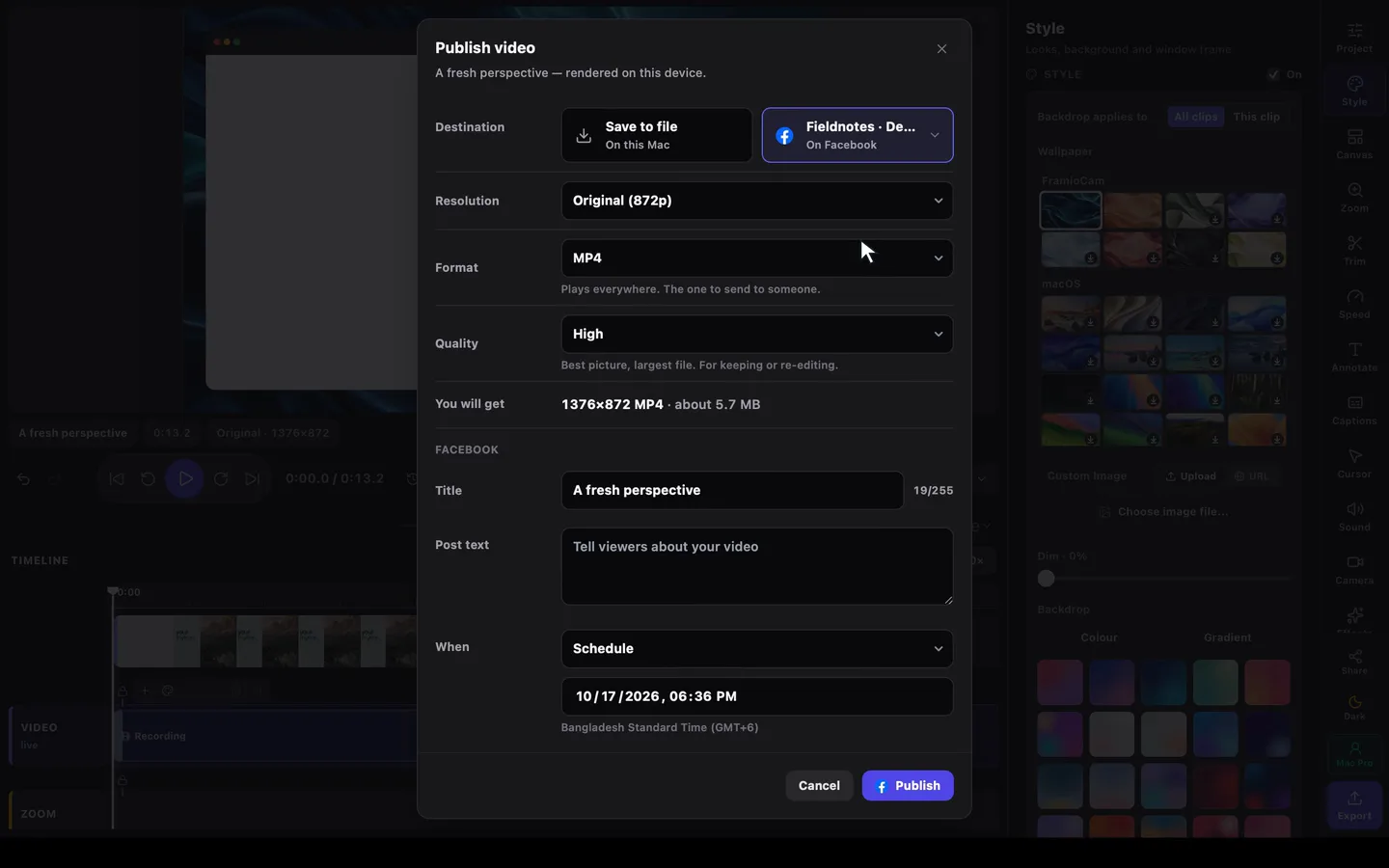
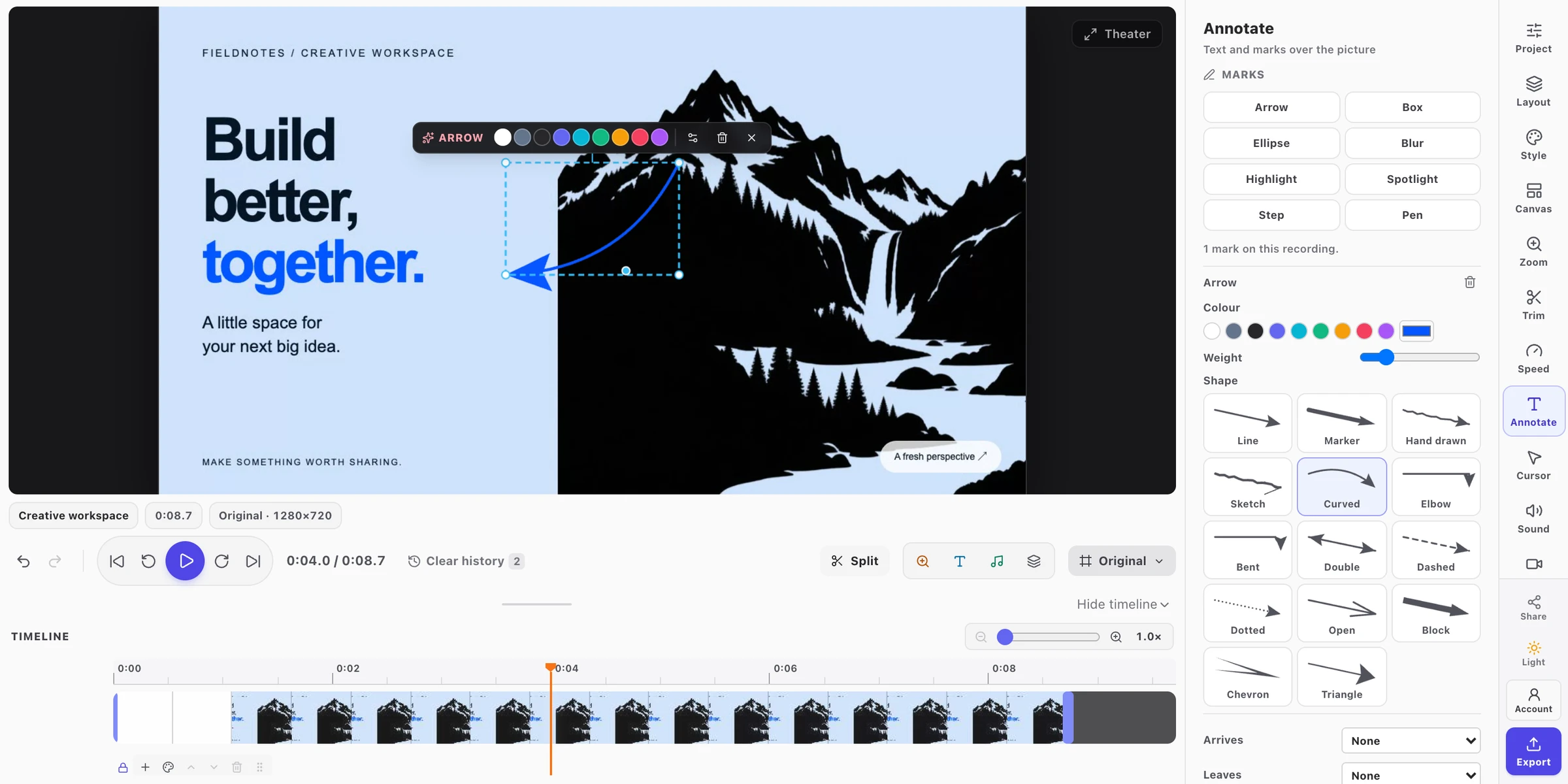
Buy Pro For Mac if your work leaves the browser. The Mac app records any window, display or area, so a tutorial can move from Figma to Terminal to Safari in one take. Pro adds watermark-free exports up to 4K, posting to YouTube and Facebook from the editor (now or scheduled), AI assistants over MCP, Google Drive and project sync, and full-height scrolling capture. It needs Apple silicon and macOS 14 or later; recording needs macOS 15.
Buy Pro For Chrome if most of what you capture is web pages. The extension takes full-page screenshots of long pages, records tabs and your screen, and edits both in the browser. Pro removes the watermark, exports video up to 4K as MP4, WebM or GIF, and syncs to your own Google Drive. It runs in Chrome on Mac, Windows, Linux and ChromeOS.
Buy Teams if more than one person needs it. Teams is Pro For Chrome for three or ten people, with devices shared across the team and seats you can reassign when someone leaves.
If you still cannot decide, the pricing overview puts Pro For Chrome and Pro For Mac side by side, row by row.
Try it free first
You do not need to buy anything to find out if FramioCam fits.
- Mac: download the app. Free includes capture, recording, the screenshot studio, the video editor and on-device captions. Exports carry a watermark.
- Chrome: add the extension. Your first 50 screenshots need no account. A free account removes that limit and turns on video export up to 720p.
How to apply the code
- Open the deals page and choose a plan. The button takes you to checkout for that plan.
- Sign in, or create a free FramioCam account.
- In the payment window, choose Add discount and enter
BFCM30. The total drops by 30% before you pay. - Sign in to the Mac app or the extension with the same account. Pro is on.
Payment is handled by Paddle, our merchant of record. Your receipt comes from them, and sales tax or VAT is added for your country.
If you already own FramioCam
Your licence stays exactly as it is. If you own Pro For Mac and want Chrome as well, upgrade to Pro For Both for the difference from your account. If you bought Pro in the last few days and would have used the code, write to us.
If you bought FramioCam for Chrome through the AppSumo lifetime deal, that licence is unchanged too. The Mac app is not part of the AppSumo deal. To add it, buy Pro For Mac with BFCM30. Pro For Both is not sold on top of an existing Chrome plan; checkout points you to Pro For Mac instead.
FAQ
Is this a subscription? No. Every FramioCam plan is one payment. The code lowers that one payment.
Can I get a refund? Yes, within 30 days of buying, through Paddle. The discount does not change that.
Does the code work with Bangladesh taka pricing? No. Taka pricing is paid through local methods outside Paddle and already has its own price.
What happens after 31 December? The code stops working at 23:59 UTC and prices go back to normal. Licences bought with the code keep everything they came with.