Chrome on Mac, Windows, Linux, and ChromeOS
Screenshots, recordings, and the tools to finish them.
Available for Chrome and Mac.
Chrome on Mac, Windows, Linux, and ChromeOS
macOS 14 Sonoma or later · Apple silicon
Use one app or both. Pro For Both unlocks Chrome and Mac for one payment
Screenshot or record
anything on your screen.
Edit, annotate, and
bring your ideas to life.
Export, copy, or sync
your work instantly.
Find your flow
Start with the place you capture most.
Each app has a workspace of its own.
Full-page screenshots. Web research. A quick walkthrough of a tab. Keep your capture and editing workflow close to the pages you’re working on.
Choose the Chrome extensionA walkthrough that moves between apps. A tutorial headed for YouTube. Record any window, add on-device captions, publish or schedule from the editor, or hand the busywork to your AI assistant.
Discover the Mac appChrome extension · Real product demos
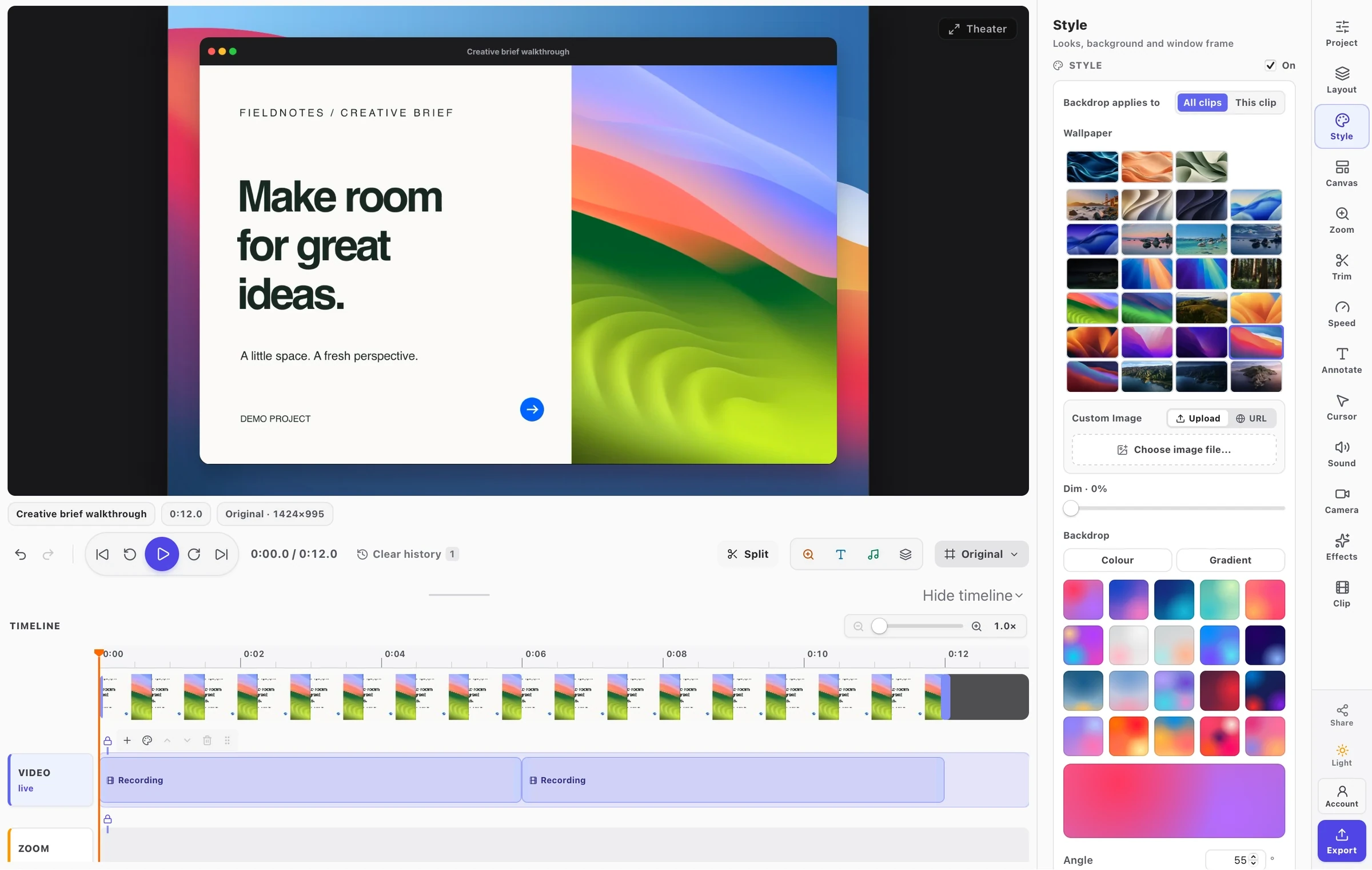
See the editing tools in the available Chrome extension. Explore the native Mac interface separately
See the details in action
The finishing touches make the difference.
Pick a tool and watch it work in FramioCam.
Zoom to the things you clicked. Move, resize, and retime every zoom on the timeline.
Give your pointer a clear highlight and every click a ripple. Adjust the colour, size, and timing after recording.
See dissolves, wipes, and slides before you choose. Apply a transition and set its timing on the timeline.
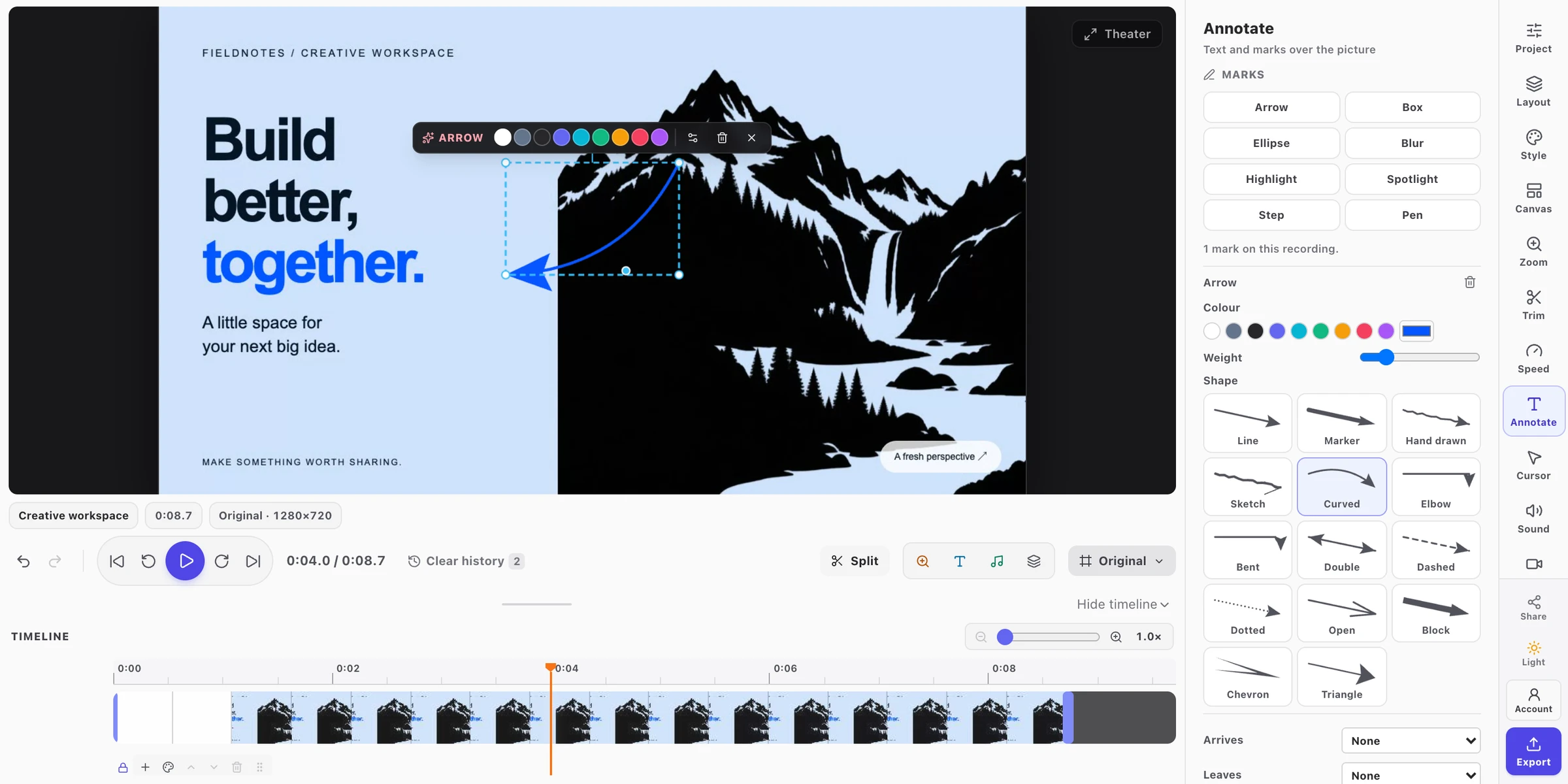
Point things out with arrows, text, and highlights. Choose exactly when each annotation appears.
Turn a widescreen walkthrough into a square post or vertical clip. Change the canvas without recording again.
Export MP4, WebM, GIF, or a PNG frame. Available formats and resolutions depend on your plan, browser, and device.
From our Chrome community
Real feedback on the Chrome extension, from the Chrome Web Store.
“FramioCam is a powerful yet easy-to-use tool for screen recordings and screenshots, including webcam capture. It even comes with a built-in video editor for adding annotations and so much more. Really handy and simple to use. Thanks for this great tool.”

“I just tried it, and honestly, it’s unbelievable that a tool with so many amazing features is available for free! Absolutely impressive work! 🔥👏”

“FramioCam is a great and easy-to-use tool for recording my screen and taking screenshots. The interface is simple, and everything works smoothly. It is very useful for everyday tasks. Highly recommended!”

“Very easy to manage and genuinely user-friendly!”

“super easy screen recorder to use and gets the job done without any hassle”

“have been spending years looking somethin like this. thanks to the creator... super easy and packed with functions i need.”

Choose your workspace
Both are ready today. Start free on either.
Chrome extension
$19once for Pro For Chrome
Free capture and editing, with a one-time Pro upgrade for clean exports, higher-resolution video, and optional Google Drive sync.
Get FramioCam ProAll Chrome plansMac app · Free to download
$29Pro For Mac, one-time payment
Download free. Pro For Mac adds YouTube and Facebook publishing, AI assistants over MCP, and clean 4K exports.
First 300 Mac licences get lifetime updates
Download for Mac All Mac plansChoose the Chrome extension for web pages, browser-based work, and full-page website screenshots. Choose the Mac app to capture across your Mac’s apps and windows, publish or schedule videos to YouTube and Facebook, and let an AI assistant such as Claude or Cursor drive it over MCP. Both are available now.
Pro For Both does: $35 once unlocks Pro in the Chrome extension and the Mac app, with a licence key for each. Pro For Chrome ($19) and Pro For Mac ($29) each cover one app. Already own Pro For Mac? Upgrade for $6.
Yes. The extension works in Chrome on macOS, Windows, Linux, and ChromeOS. The native Mac app is a separate option for capturing across desktop apps.
The Chrome extension is available free today. Its first 50 screenshots need no account; a free account removes that limit and enables video export. The Mac app is free to download and use; Pro features unlock with Pro For Mac or Pro For Both.







Choose where you create
Browser-first or native on Mac. Find the FramioCam that fits the way you work.
Chrome and Mac available now · Pro For Both covers both
We use .